
Online & Mobile Banking
Access your accounts anytime, anywhere with WFCU’s Virtual Branch.
Enroll in online banking today.


Online Banking
Empower your financial independence with our digital tools. Transfer funds, make loan payments, and get detailed account information safely and securely. You can also register for eStatements, access tax forms, and create alerts to help you monitor your account.
eStatements
Ditch the paper clutter and access your statements sooner. By switching to eStatements, you’ll get an email notification the moment your statement is ready, reaching you days faster than traditional mail. Plus, you’ll help Wheatland lower costs so we can pass those savings back to you through better rates and lower fees.
Bill Pay Services
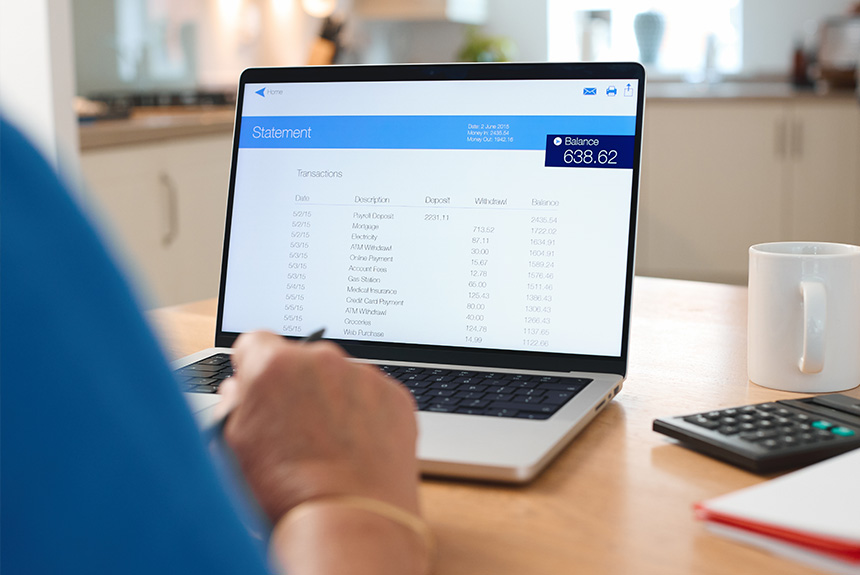
Take the hassle out of your monthly routine. No more stamps, envelopes, or multiple login screens. Just log in to your Online Banking with WFCU and select Bill Pay to get started.
Important Information
- We recommend scheduling your payments at least 5–7 business days before the actual due date to ensure on-time delivery.
- Please ensure your account has the necessary funds available on the date the payment is scheduled to be sent. Standard NSF fees apply if funds are unavailable.
Have questions about Bill Pay?
Contact our Member Services team at 717-898-7673, option 2 or send us a message.
Make A Payment
Have a loan with us? Save yourself a trip to the branch by making your payments online 24/7. All you need is your debit card or an electronic check (ACH).
Important Details
To keep our online services secure and efficient, please note the following:
- A $5.00 processing fee applies to all online payments. This fee will be added to your stated payment amount at the time of the transaction.
Please ensure your account has sufficient funds before processing. A $30.00 fee per item will be charged for any chargebacks or items returned for insufficient funds.
Other Ways to Pay
Want to avoid the processing fee?
Visit a Branch
Make your payment in person at any of our locations. Can’t make it during business hours? Use our night drop slot.
Use Shared Branching
Pay your loan at any participating CO-OP credit union nationwide.
Set Up Bill Pay
Schedule recurring bill payments from your other financial institution. Check with your other credit union or bank to see if they offer a bill payer service.
Schedule Your Payments
Have your payments automatically withdrawn from one of your Wheatland accounts.
Mobile Banking with WFCU
Our mobile app makes it easy to keep track of your account on your smart device. Make transfers, view your account, and pay bills — all on the go. Wheatland’s mobile app is available for free in the Google Play Store and the Apple App Store.
Features include:
- Make transfers
- View account balances
- Mobile check deposit* (for members 18+)
- Manage your debit and ATM card
- Set up alerts to help you manage your account
*All mobile deposits are subject to a 3-day hold.
Enroll in Online Banking
Before you can log in to our mobile app, you must first register your account through our Online Banking portal. This one-time setup establishes your secure login credentials.
Download Wheatland’s Mobile App
Once you’ve successfully enrolled online, use your new credentials to sign in and start banking from your smartphone.


Need help?
Contact our Member Services team during business hours at 717-898-7673, option 2.
Common Questions
The primary account holder can enroll via our website. Simply go to our Homepage and select the “Enroll” link in the Online Banking log in box. Follow the prompts to connect to your account and set your login credentials.
Joint account holders can obtain their own login credentials by calling our member services team at 717-898-7673 during business hours. You can also email our member services department at wfcumembers@wheatlandcu.com for more information.
Forgot your Security Code? If you know your Logon ID, you can select Forgot Security Code to receive a link to securely reset your security code.
Forgot your Logon ID? Call our Member Services team at 717-898-7673 during business hours for assistance.
- Login IDs must consist of 6 – 50 alpha numeric characters
- Security codes must be 12 – 16 characters and include: an uppercase and lowercase letter, numbers, and at least one of the following special characters: ! @ # $ % ^ & *
Please Note: You accept responsibility for periodically changing your logon ID and protecting the integrity of your credentials to prevent unauthorized transactions and account access. Granting access to your online account to any non-owner will make you financially liable for all losses or misuse of your account(s).
You must have an active WFCU checking account and be registered for online banking. Log in to your online banking account, select the “Bill Pay” option, and follow the prompts to set up a recurring payment.
Electronic copies of tax documents are available in the e-statements section of WFCU’s Virtual Branch. Not enrolled in e-statements? We’ll mail your tax forms to your address on file by January 31.
Every member who has an online banking account with our Virtual Branch can register for e-statements.
- Open your internet browser and go to wheatlandcu.com
- Login to online banking
- Look for the hyperlink for e-statements
- Follow the prompts to register
Don’t have an online banking account with us? Enroll today!
Related Links
Blog Article
Avoid Financial Scams Online
Products & Services
Make A Loan Payment
About